Skip to content
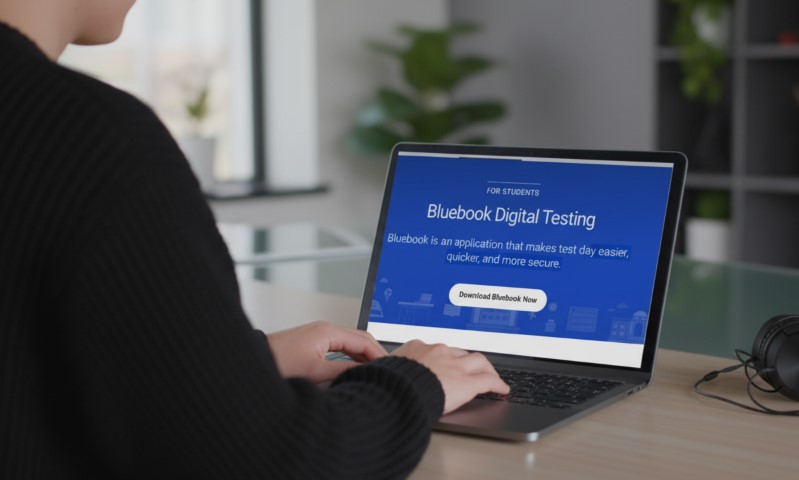

Spring 2026 SAT prep is getting a quiet but meaningful upgrade. College Board is adding a brand-new full-length SAT practice test inside the Bluebook app, and at the same time, the device readiness checklist is tightening in ways that affect real students, real schools, and real test mornings.
If you plan to sit for the SAT in March, May, or June 2026, February 2026 becomes a turning point. Prep materials expand, and technical expectations become less forgiving. Ignoring either side creates unnecessary stress later.
Key Points
- A new full-length official SAT practice test arrives in Bluebook in early February 2026
- Spring 2026 prep now requires stricter device readiness, including higher OS minimums
- School-managed Chromebooks must use verified mode starting in 2025–26
- Windows 10 still works for Spring 2026, but Bluebook drops support in fall 2026
What’s Changing For Spring 2026
Two updates sit at the center of the Spring 2026 shift.
According to the SAT Suite, a new full-length SAT practice test arrives in the Bluebook app in early February 2026. Second, Bluebook device requirements for the 2025–26 testing year raise minimum operating systems, add Chromebook security expectations, and put a clear timeline on Windows 10’s exit.
For students, the impact feels straightforward. More official practice appears in the same app used on test day, and fewer borderline devices slip through. For schools, especially those relying on shared hardware, coordination matters more than before.
Why A New Official Bluebook Practice Test Carries Real Weight
An official full-length practice test inside Bluebook is not a cosmetic refresh. Official SAT practice holds unusually high value because it mirrors the live experience closely.
Practice inside Bluebook matches:
- the digital interface
- official timing rules
- the multistage adaptive structure
- built-in tools such as highlighting and the Desmos calculator in Math
- score reporting through My Practice
Full-length Bluebook practice tests are timed and scored. After completion, performance links directly to review tools and targeted practice through official SAT prep on Khan Academy.
Unofficial tests can help with repetition, yet only Bluebook practice recreates the full rhythm of test day from launch to submission.
For additional math skill reinforcement outside full tests, some students supplement prep with browser-based tools available through the ChromeWebstore.
Timing Advantage For Spring Test Dates
College Board lists the Spring 2026 SAT weekend dates as:
- March 14, 2026
- May 2, 2026
- June 6, 2026
A new practice test released in early February gives March testers a short but meaningful runway.
May and June testers gain a wider window to measure progress after months of prep. The timing works because February often marks the shift from learning content to sharpening execution.
Where The New Practice Test Lives Inside Bluebook
College Board directs students to open Bluebook and head to Practice and Prepare to find SAT prep resources. Inside the app, practice appears in two distinct formats.
Test Preview Mode
Test Preview exists to teach the interface. It includes a short set of questions and access to tools, but it is:
- Untimed
- Unscored
- Not designed for feedback
Preview mode solves one job only: reducing distraction from the digital layout.
Full-Length Practice Tests
Full-length Bluebook practice tests handle real prep. They are:
- Timed like the live SAT
- Scored
- Connected to My Practice for review and breakdowns
The new Spring 2026 practice test joins this official pool.
Digital SAT Structure Refresher

Effective practice matches reality. Training against the wrong structure builds habits that fail under pressure.
College Board describes the SAT format as:
2 total sections
- Reading and Writing
- Math
Total testing time: 2 hours and 14 minutes
- 64 minutes Reading and Writing
- 70 minutes Math
A 10-minute break between sections
Each section splits into two equal-length modules. Performance in the first module determines whether the second module trends easier or harder on average.
How Multistage Adaptive Testing Works
College Board labels the SAT a multistage adaptive test. Each section includes two modules, and each module contains:
- 20 to 25 operational questions
- 2 pretest questions that do not count toward scoring
Even on a strong run, a couple questions serve experimental purposes.
Time Per Question Reality
College Board’s published pacing averages to:
- Reading and Writing: 54 questions in 64 minutes
- Math: 44 questions in 70 minutes
Digital pacing feels different than paper habits, which explains why official Bluebook practice matters. Timer pressure and on-screen reading change decision-making.
How The New Practice Test Should Change Prep Strategy
One new practice test alone does not raise scores. Value comes from how it reshapes planning.
Reduced Overfitting To Older Material
Many students repeat the same official tests until patterns feel familiar. Scores rise, confidence spikes, and readiness stalls. A fresh official test offers a cleaner checkpoint.
Exposure To Newer Question Styles
College Board’s writing evolves. New content reflects subtle shifts in wording, distractor design, and the tone of harder second modules.
Full Workflow Rehearsal
Practicing inside Bluebook mirrors the live process:
- Launching the app
- Using tools and annotations
- Moving through modules
- Taking a break
- Reviewing results in My Practice
That workflow familiarity lowers cognitive load on test day.
My Practice – The Part Too Many Students Skip
@stellalalarose Replying to @riah follow for moreee💁♀️💁♀️ #study #sat #satprep #college
After completing a scored full-length Bluebook test, results feed into My Practice. Tools available there include:
- Score viewing and downloads
- Question review
- Performance analysis by skill
Bluebook also connects to follow-up tools:
- Practice Specific Questions generated from results
- The Student Question Bank, described as containing thousands of official SAT Suite questions filtered by section, domain, skill, and difficulty
Students who take tests without structured review usually plateau.
Device Requirements For 2025–26 And Why Spring 2026 Students Should Care
College Board publishes updated technical requirements each year. For 2025–26, changes include higher OS minimums, stronger Chromebook security rules, and a formal warning tied to Windows 10.
Updated Operating System Minimums
College Board’s technical summary lists:
- ChromeOS minimum raised to 132
- macOS minimum raised to 12
- iPadOS minimum raised to 16
- Windows 11 recommended, Windows 10 still usable for now
Older devices that once passed casual checks may no longer qualify.
Windows 10 Phaseout Warning
College Board states clearly:
- Microsoft ended Windows 10 support in October 2025
- Starting in fall 2026, Bluebook will not work on Windows 10
Spring 2026 testers may still use Windows 10 in many cases. Schools planning beyond that point cannot rely on it.
Chromebook Verified Mode Requirement
Chromebooks already carry stricter rules because only school-managed units qualify. College Board now adds:
- Verified mode must be enabled
- configuration handled through the Admin console
- goal focused on testing security
Chromebook issues often surface on test morning, not during planning.
Approved Devices For Bluebook Testing
For SAT weekend testing, College Board lists the following as supported:
- Windows laptop or tablet
- Mac laptop
- iPad
- school-managed Chromebook
Personal Chromebooks and mobile phones are not permitted.
Platform Rules That Cause Problems
Chromebooks
- Must be school-managed
- Personal Chromebooks do not work
- ChromeOS 132 or higher required
- ChromeOS Flex unsupported
iPads
- Minimum iPadOS 16
- Recommended maximum listed by College Board
- iPadOS versions 17 to 17.0.3 excluded
Mac
- Minimum macOS 12
- Advice to avoid major OS upgrades right before test day
Windows
- Windows 11 recommended
- Windows 10 allowed during 2025–26 with a future cutoff announced
Device Requirement Table For Students
College Board publishes more detailed breakdowns by platform, so final checks still matter.
Battery Life And Accessories Matter More Than They Look

College Board’s requirements call out small details with big consequences:
- Minimum battery life: 3 hours
- External keyboards allowed for SAT and PSAT on iPads
- External keyboards strongly recommended for Windows tablets
- External mice permitted on supported platforms
A drained battery in Module 2 ends a test abruptly.
Bluebook Updates And Why Auto-Update Still Needs Attention
College Board notes that Bluebook auto-updates the next time it opens unless blocked. Students must test on the latest version.
Practical takeaway: open Bluebook well before test week. Waiting until the night before invites delays and login issues.
SAT Device Readiness Checklist For Spring 2026
College Board’s guidance stays blunt. Download Bluebook early so problems surface with time to fix them.
30 Or More Days Before Test Day
- Confirm device eligibility
- Confirm OS meets 2025–26 minimums
- Download and install Bluebook
2 To 3 Weeks Before Test Day
- Run a test preview to learn the tools
- Complete at least one full-length Bluebook practice test on the same device
7 To 14 Days Before Test Day
- Take a second full-length Bluebook test
- Review results in My Practice
- Generate targeted practice using Practice Specific Questions or the Student Question Bank
Test Week
- Open Bluebook once to confirm updates
- Fully charge the device and bring a charger if permitted
- Avoid last-minute OS upgrades, especially on Mac and iPad
Device Lending For Students Without A Suitable Device
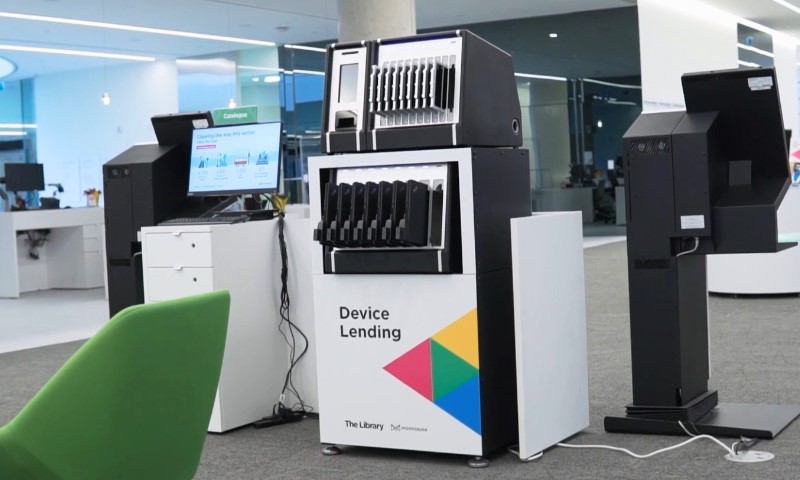
College Board offers device lending for SAT weekend testers who lack an approved device and cannot borrow one.
Published rules include:
- Request at least 30 days before the test day
- Request allowed during or after registration
- Devices shipped to the test center for test-day use
College Board also explains that loaned devices are for SAT use at the test center only and availability is not guaranteed. Device lending serves as a backup plan, not a primary strategy.
SAT School Day And Spring 2026 Technology Planning
Spring 2026 also affects School Day testing. College Board lists the SAT School Day window as:
- March 2 to April 30, 2026
School Day testing often relies on managed Chromebook fleets or shared laptops. Verified mode and OS minimums become operational requirements, not optional guidance.
How Schools And Coordinators Should Respond
A stable plan stays boring and consistent.
Lock Down OS Baselines
- Chromebooks at ChromeOS 132 or higher
- Macs at macOS 12 or higher
- iPads at iPadOS 16 or higher
Configure Chromebook Security Early
- Enable verified mode via Admin console
Push Bluebook Checks Earlier
- Require students to open the Bluebook before the final week
Plan For Windows 10’s Exit
- Spring 2026 may allow Windows 10
- Fall 2026 will not
Using The New Practice Test Strategically
Once the new full-length practice test appears in early February, treat it as a checkpoint rather than a warm-up.
Best Timing For March Testers
Early February sits about 4 to 6 weeks before the March 14 exam. Pacing, accuracy, and stamina should stabilize around that point.
Recommended flow:
- Take the test under realistic conditions
- Review every missed question in My Practice
- Build two skill lists
- Quick fixes, such as pacing or careless errors
- Skills needing repetition, such as algebra manipulation or grammar patterns
Best Use For May And June Testers
Later testers benefit by measuring real improvement. Familiarity with older material can create false confidence. A newer official test checks growth honestly.
Spring 2026 Bluebook Updates At A Glance
Bottom Line For Spring 2026 SAT Prep
Spring 2026 brings a useful upgrade. A new official full-length practice test arrives in Bluebook in early February, and device requirements tighten across platforms.
Students benefit most by handling both sides early. Use the new practice content to measure readiness honestly. Lock device setup weeks before test day, not days.